Fall 2026
PT Med
-
 Vue
Vue -
 Nuxt.js
 -
 Tailwind
 -
 Strapi CMS
 -
 Typescript
tl;dr
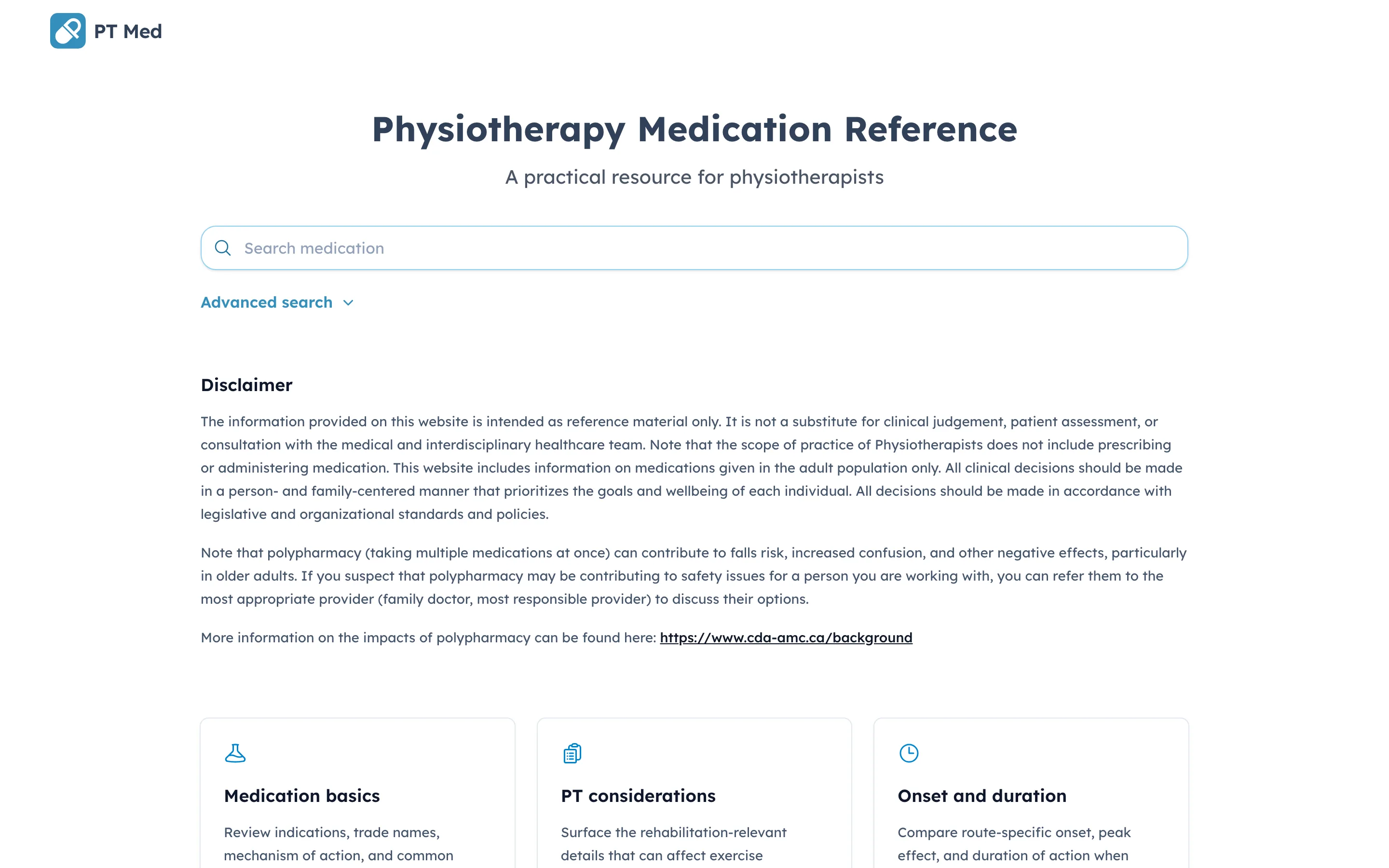
PT Med is a medication reference for Vancouver Coastal Health physiotherapists. It explains what a drug is for and how it affects physiotherapy treatment in the few minutes a clinician has during chart review.

Background
When a physiotherapist at Vancouver Coastal Health finds an unfamiliar medication in a patient’s chart, there is no single place to look it up. Most search Google and piece together an answer from Mayo Clinic, NIH, or UpToDate. When those sources aren’t enough, they find a nurse or pharmacist. The existing clinical references are written for prescribers. They explain what a drug does, but not what it means for getting a patient out of bed. A patient with Parkinson’s might need their session timed to when their medication kicks in. A new blood pressure medication might mean the patient could get dizzy or faint when they first stand up.
Role
I was the technical lead and sole developer. I owned the architecture, the Nuxt frontend, the Strapi content model, and the release pipeline. I also ran discovery with our UX designer, who produced the wireframes and mobile layouts.
Discovery
After defining the initial requirements with our subject matter expert, we sent a survey out to the wider department and got 70 responses. A few findings shaped almost every later decision:
62 of 70 respondents preferred typing into a search box. Only 8 preferred an A–Z list and 10 preferred filters. 67 said their research starts on Google. Physios nearly always know a drug’s name.
One physio reviews about 36 beds in a little over an hour each morning. For them, spending ten minutes on one chart is a long time. They wanted short, grouped, point-form information.
People asked again and again how soon a drug starts working, when it’s strongest, and how long it lasts. Physios want to treat while a drug is working best, especially for pain and Parkinson’s medications.
48 respondents research at a desktop or workstation on wheels, 42 on a phone, and 22 on a laptop. Community physios work in patients’ homes, often with a bad connection.
Objectives
- Make search good enough to replace Google It should forgive typos and match trade names, partial words, and drug classes.
- Answer the physio question on one screen Show what the drug is for, what to watch for, and when it’s strongest, for each way it can be given.
- Work where physios work Including on a phone in a patient’s home with a poor signal.
- Let the client own the content The practice lead and a small editor group needed to add and revise medications without a developer.
Design
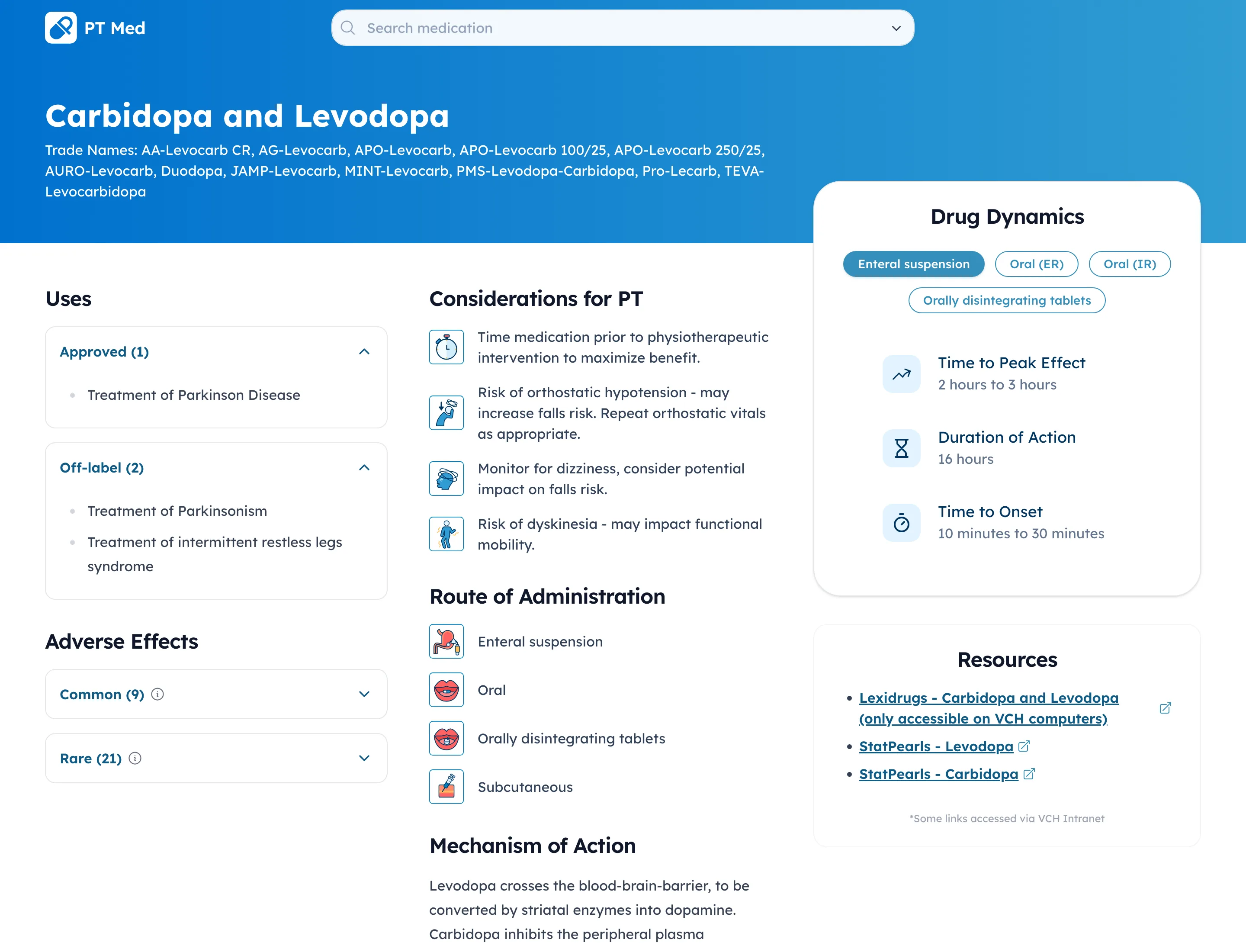
Our UX designer turned the findings into wireframes that we reviewed. The practice lead preferred a three-column medication page that keeps as much as possible above the fold. Uses, side effects, and PT considerations sit side by side. A timing panel on the right covers each way the drug can be given.
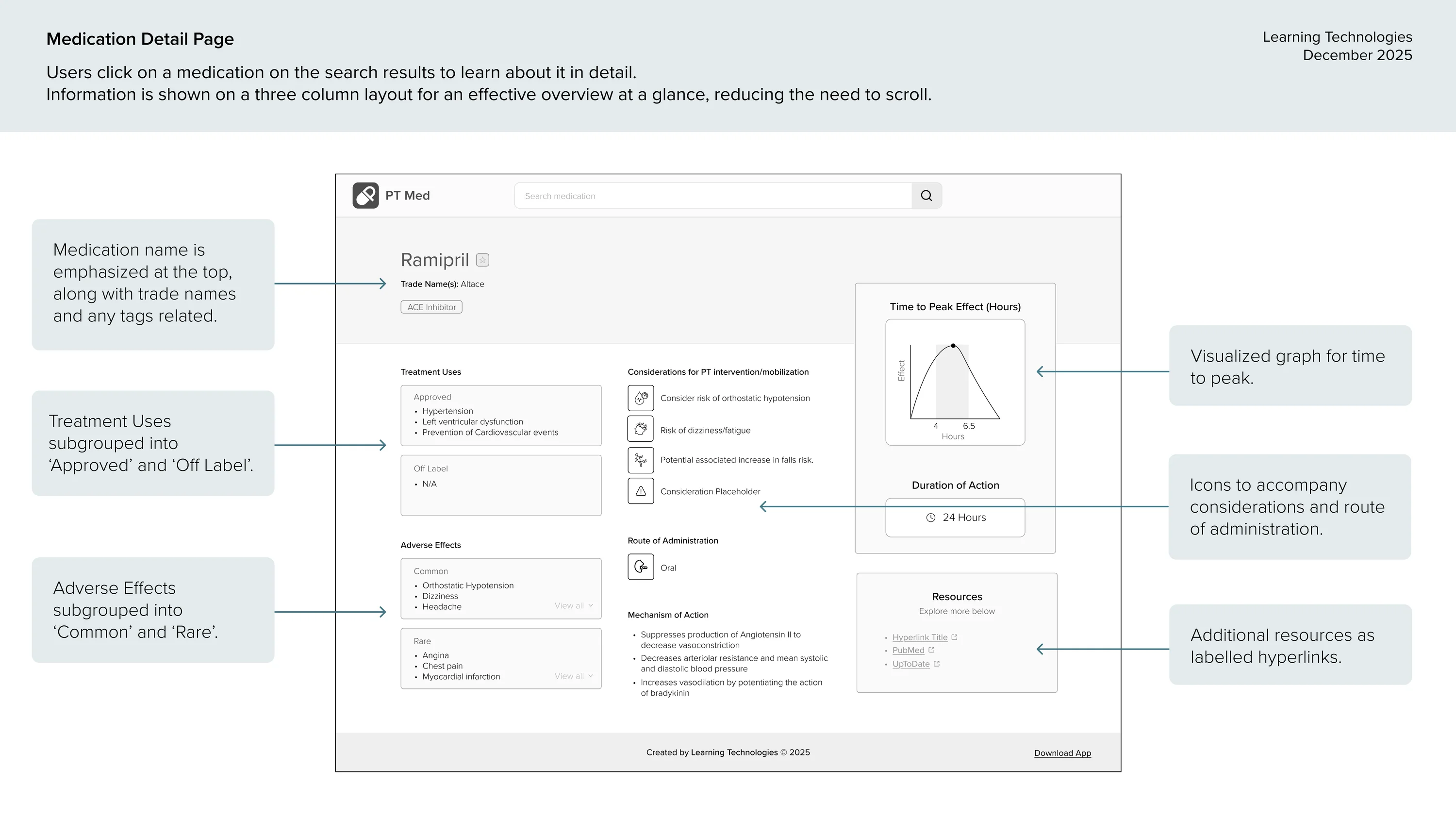
I then began implementing based on these layouts. Many of the details came straight out of review meetings including:
The same drug can peak at very different times when swallowed as a pill, injected under the skin, or given as a liquid through a feeding tube. Each route gets its own tab showing when the drug starts working, when it’s strongest, and how long it lasts.
Each drug’s uses are split into
A subsection auto-expands only when it’s short, and empty sections and fields are hidden entirely. That keeps the page scannable for drugs with sparse data.
Physios can scan them faster than prose. The CMS assigns icons, with fallbacks for any that are missing.
Search that follows you
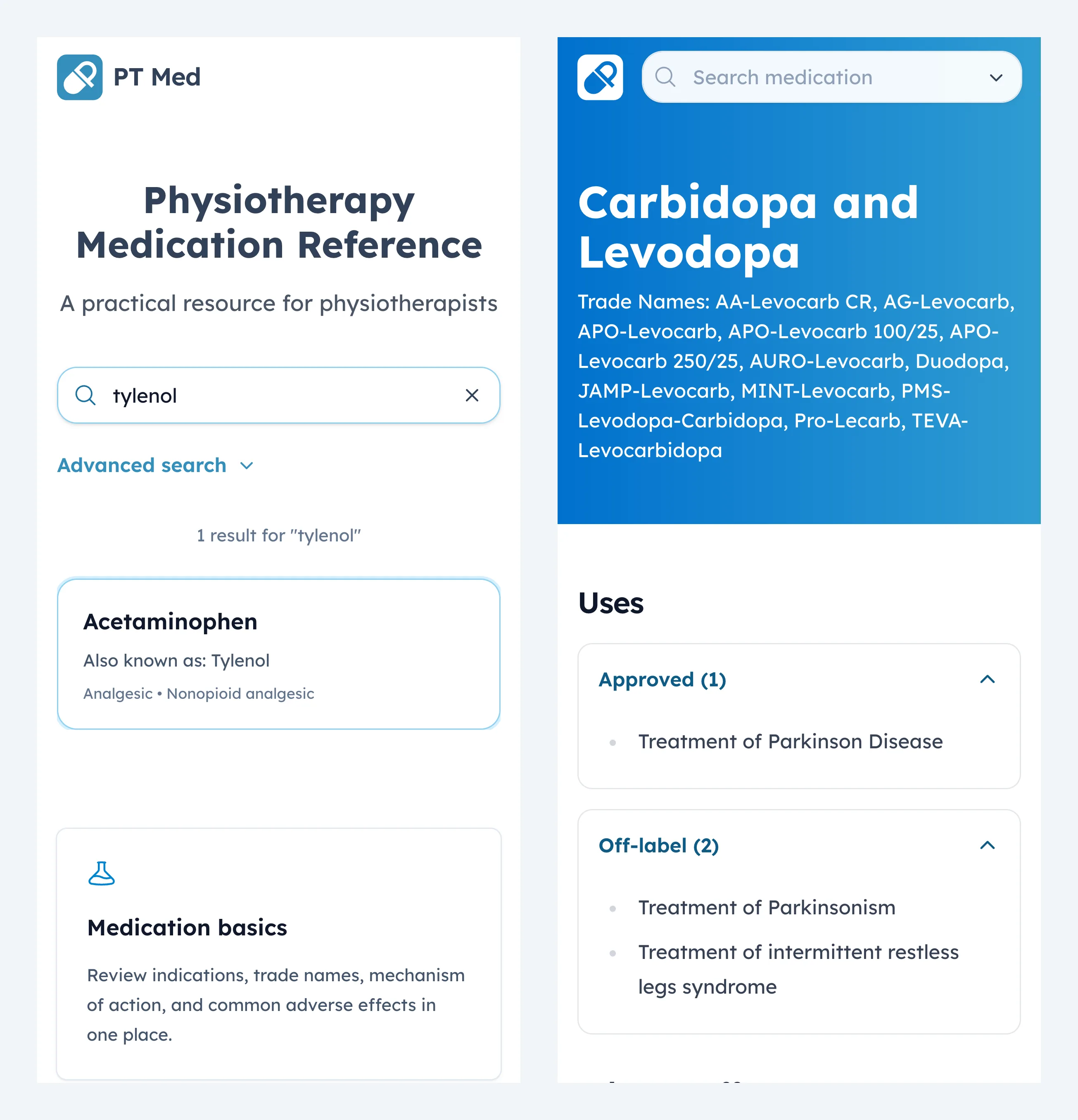
On the homepage, search is the hero. As you scroll, the search box docks into the navbar, so that it stays with you. There’s only one search box: Vue’s <Teleport> moves it between a slot in the hero and a slot in the navbar. Before each move I record where the box is on screen. After it lands, I used Motion to slide it from the old spot to the new one. Getting this to feel solid took a few iterations:
- No flicker at the edge. Two IntersectionObservers decide when to dock. The box docks when the hero reaches the bottom of the header, and only undocks once the hero is 32px clear of it. I measure the header on every resize, so iOS scroll bounce can’t flip it back and forth.
- Always rises in from below. On a fast scroll the observer can fire late, after the hero search has scrolled up past the header. I clamp the starting position so the box never drops into the navbar from above.
- Keeps focus. Browsers blur an input when it’s moved in the DOM. Arrowing through results could scroll the page far enough to dock, and focus was lost mid-navigation. Now whatever had focus gets it back after the move.
Architecture
I picked each part of the stack to meet a need from the research: fast page loads & search, content the client can edit themselves, and releases a small team can trust.
The frontend and CMS change together, so they live in one monorepo and are versioned and released together.
Nuxt was the perfect framework for fast server-side rendering. It also has a great PWA module that handled the installable app.
The client needed to edit content without a developer. Strapi gives them an intuitive editor for the site’s content. It’s also open source and self-hosted.
Every merge cuts a versioned release, on a beta or stable channel, and builds both images from that tag. What gets tested is exactly what ships.
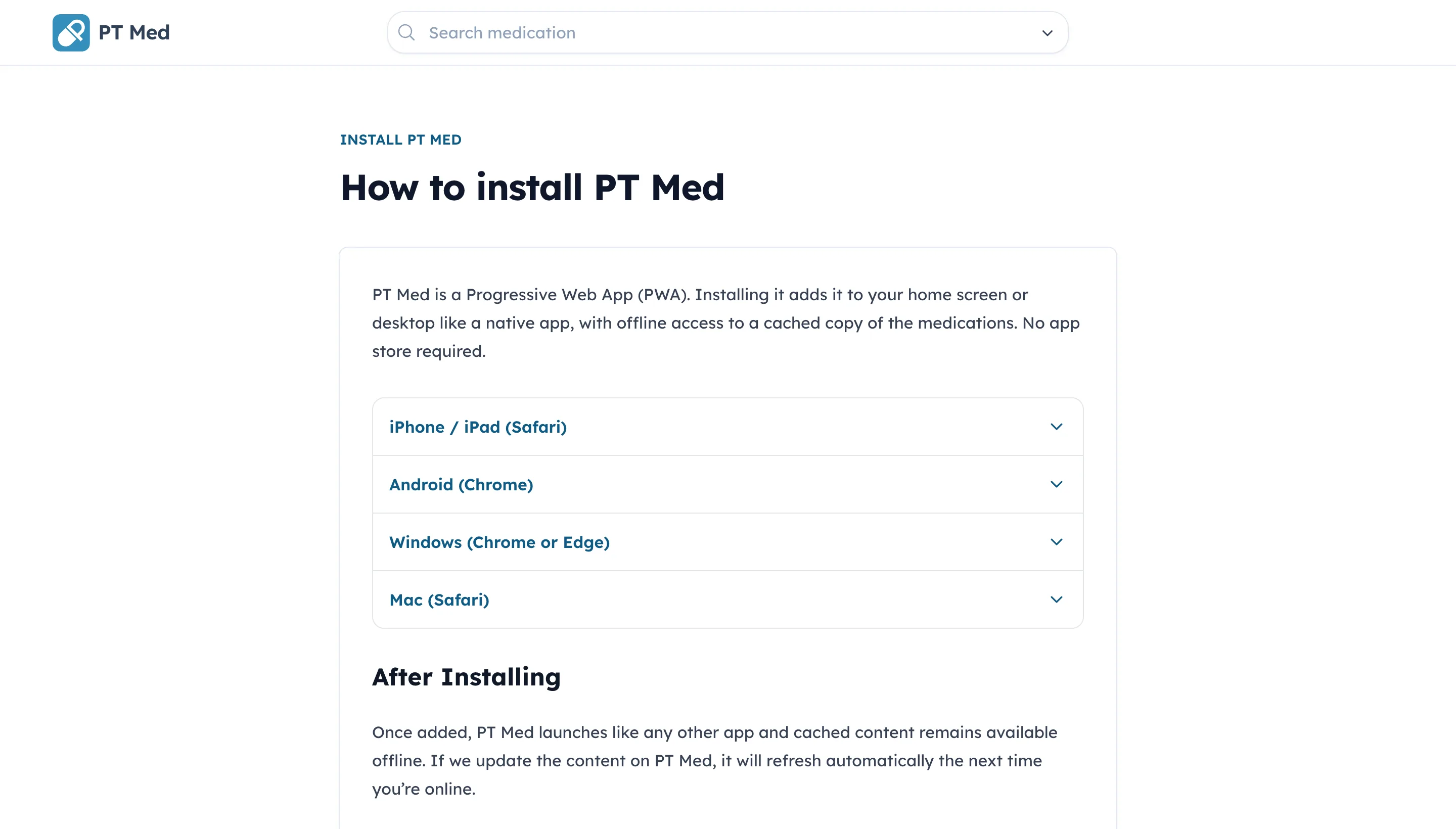
Offline, only for installed users
Community physios often work with a poor signal, so PT Med installs as a
One search engine, two places
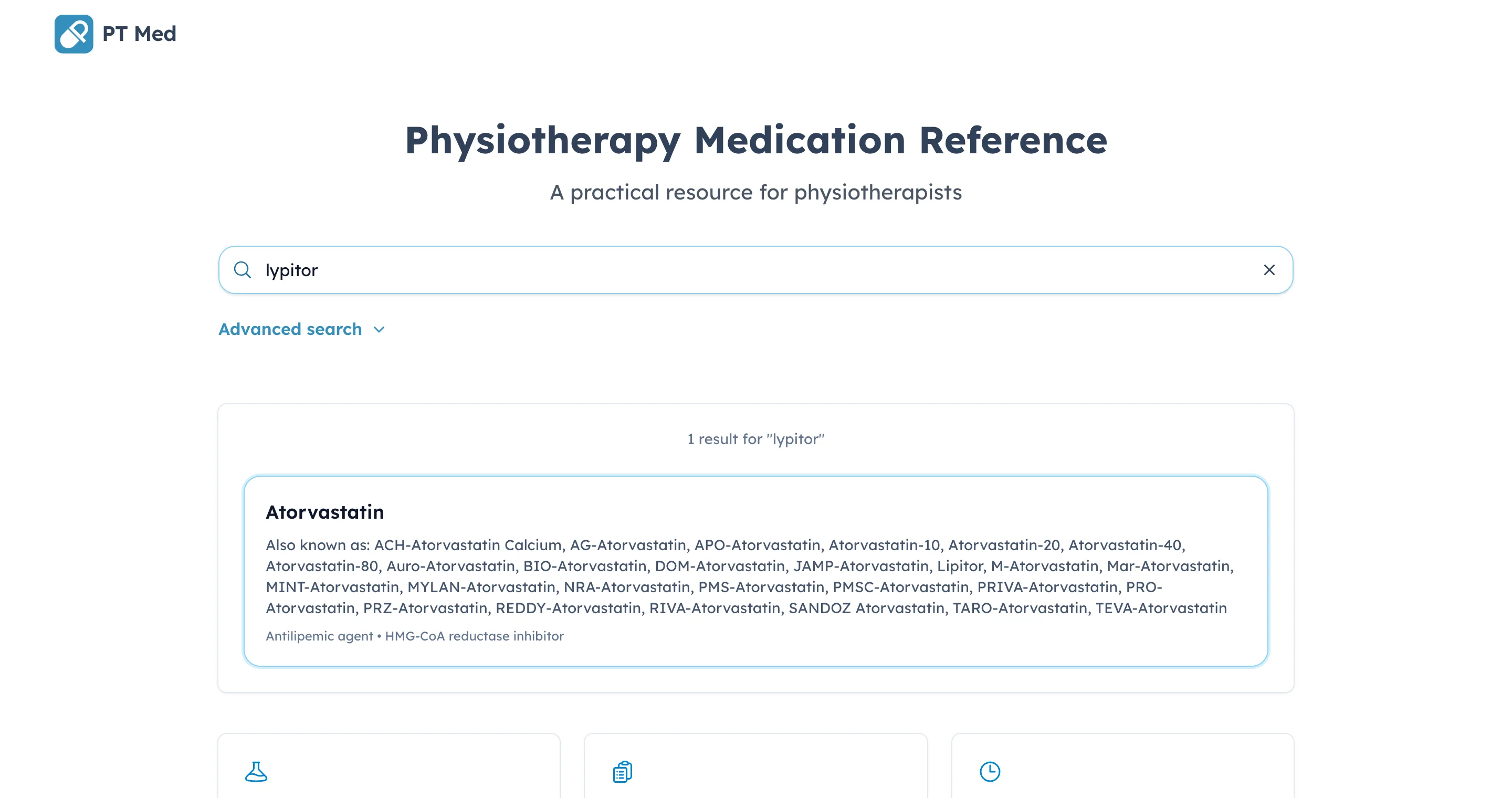
The catalogue is only a few hundred drugs, so rather than run a separate search service, I built a single search engine using MiniSearch that could be run on the server and the client. The Nuxt server runs it for web users, and the installed app runs the same code on the device, so results are identical online and offline.
I wanted to develop search ranking logic that felt intuitive. I chose closeness of match over MiniSearch’s built-in scoring, which tended to favour drugs with short entries. Matches with fewer typos score higher, as do matches on a drug’s name over its trade names or drug class. A result’s score is the sum across the words in the query. Ties go first to the result physios have picked most often in the last 90 days, then alphabetically.
Requesting new medications
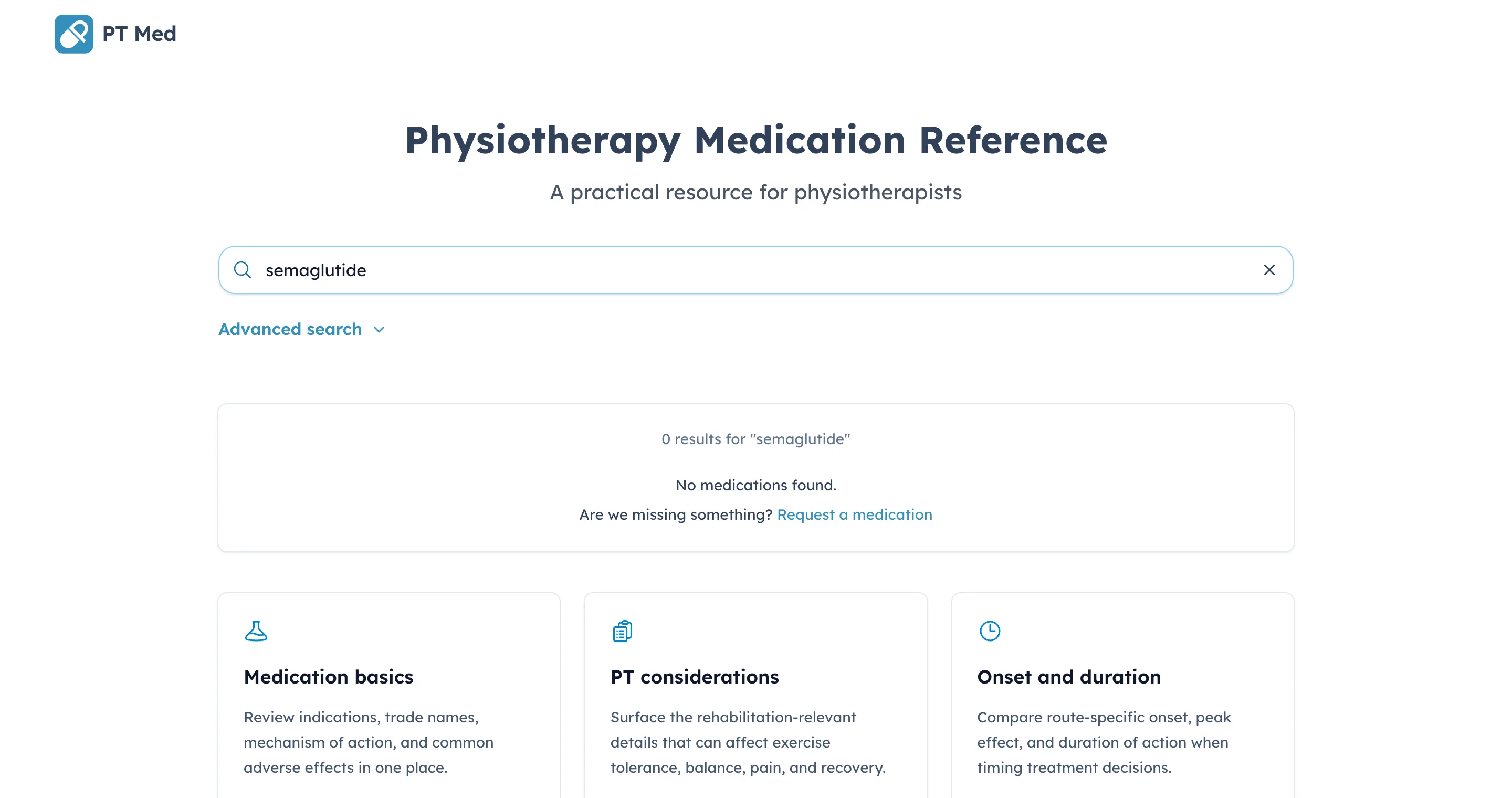
When a search has no exact match, PT Med offers a medication request form, and the CMS emails each request to the PT Med team. The form is protected by Cloudflare Turnstile to keep out spam.
Useful Analytics
We wanted to know which medications physios look up most and which searches come up empty, so the team can prioritize content and improve search after launch. Google Analytics 4 loads after the page is ready, so it doesn’t slow the first view. Search updates as you type, so a search is only logged once the user engages with the results.
Results
PT Med reached 1.0 in September 2026 and soft-launched to physiotherapists at VCH.
It forgives typos, matches trade names and partial words, and turns a missing medication into a content request.
Installed users get the full catalogue offline, while regular visitors are not affected by stale content.
Our client is empowered to update medications, resources, and pages themselves.
On desktop, the site loads in under 1.5 seconds and searches return in ~100ms.
Since launch, we’ve been watching which medications physios look up, which searches come up empty, and what they request, and we’re using that to keep adapting PT Med to what clinicians actually need.